
Download DeveloperSoft – AI Image Generator, Free Trial, Secure Cloud Tool
Overview
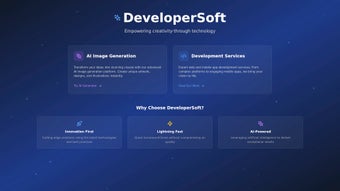
DeveloperSoft is a cloud‑based AI image generator that delivers high‑quality visuals with just a few keystrokes. Built on the latest diffusion models, the service can translate natural‑language prompts into images that range from photorealistic landscapes to stylized anime characters, 3D cartoons, and abstract art. The platform’s standout capability is its granular control over output: users can dictate exact dimensions, aspect ratios, and even request specialized post‑processing modes such as Enhance (sharpen details), Unsensor (remove unwanted artifacts), and HD‑Closeup (zoom in on specific regions without losing fidelity).
Because all computation runs on secure, high‑performance cloud servers, there is no need for a powerful GPU on the user’s side, making the tool accessible on laptops, tablets, and smartphones alike. The service operates on a freemium model. The free tier grants up to ten image generations per day at a maximum resolution of 1024 × 1024 px, perfect for casual experimentation or rapid prototyping.
Premium subscribers unlock unlimited generations, resolutions up to 8K, batch processing, a sticker‑creation engine, background removal, and API access for developers who wish to embed the generator into custom workflows. Security is baked into the architecture: all data transfers are encrypted with HTTPS, user assets are stored in GDPR‑compliant data centers, and two‑factor authentication is optional for added peace of mind. Whether you are a solo designer seeking inspiration, a marketing team needing quick visuals for campaigns, or a developer building an AI‑powered app, DeveloperSoft promises a seamless, secure, and instantly accessible experience that works on any modern device with an internet connection.
Core Features
- Multiple artistic styles: Realism, 3D Cartoon, Anime, Abstract, and more.
- Customizable canvas size and aspect ratio for precise output.
- Special post‑processing modes: Enhance, Unsensor, HD‑Closeup.
- Premium tools: High‑resolution export (up to 8K), sticker generator, background remover.
- Variation engine that produces up to five alternative renders per prompt.
- Web‑based interface – no local installation required; works on Windows, macOS, Linux, Android, iOS.
- Secure cloud storage with end‑to‑end encryption and optional 2FA.
- RESTful API for developers to integrate image generation into apps and services.
Each feature has been crafted to address a specific workflow bottleneck. The style library, for example, includes pre‑trained models that excel at photorealism for product mock‑ups, while the Anime and 3D Cartoon models are optimized for vibrant characters and game assets. The canvas customizer lets you set exact pixel dimensions or select common ratios such as 16:9, 1:1, or 4:3, eliminating the need for post‑generation cropping.
Post‑processing modes are applied instantly on the server; Enhance sharpens edges, Unsensor intelligently fills gaps left by low‑resolution inputs, and HD‑Closeup uses a secondary upscaling model to retain detail when zooming. Premium tools add a professional layer: high‑resolution export supports PNG, JPEG, and SVG formats, while the background remover isolates subjects with a single click, streamlining the creation of marketing banners or social‑media graphics. The sticker generator automatically adds transparent padding and optional outlines, making it easy to produce ready‑to‑use assets for messaging apps.
Finally, the API delivers full control over prompt submission, generation status, and result retrieval, enabling integration with CI pipelines, custom design dashboards, or mobile apps.
Installation, Usage & Compatibility
Because DeveloperSoft is entirely web‑based, there is no traditional installation process. To begin, visit developersoft.com, click “Sign Up,” and complete the quick registration form. After confirming your email, you are taken to a clean, modern dashboard that greets you with a short onboarding tour. The tour walks you through selecting a style, entering a descriptive prompt, choosing output dimensions, and finally pressing “Generate.” For premium users, additional tabs appear for batch uploads, background removal, and sticker creation.
Using the tool is intuitive: type a prompt such as “sunset over a futuristic cityscape in cyberpunk style,” select the desired resolution, and click “Generate.” Within seconds the AI returns a preview image. If you need adjustments, the “Variations” button will produce up to five alternative compositions, each of which can be further refined using the Enhance, Unsensor, or HD‑Closeup modes. Once satisfied, click “Download” and choose between PNG, JPEG, or SVG. Premium accounts can select “High‑Resolution” to receive files up to 8K, suitable for large‑format prints or high‑density displays.
Compatibility is universal. DeveloperSoft runs in any modern browser—Chrome, Edge, Firefox, or Safari—on Windows 10/11, macOS 10.15+, popular Linux distributions, Android 8+, and iOS 13+. Because all heavy processing occurs on secure cloud servers, even low‑end devices experience fast render times, limited only by internet bandwidth. For teams, the platform offers shared workspaces where members can comment on prompts, tag assets, and approve designs in real time, making collaboration seamless across geographic locations.
When exporting, all files are delivered over an SSL‑encrypted connection, and the platform automatically generates a unique, time‑limited download link to protect your assets from unauthorized sharing. For developers, the API key can be generated in the account settings; it includes rate‑limit information and detailed documentation that covers authentication, prompt formatting, and error handling. This comprehensive approach ensures that both creative professionals and technical users can integrate DeveloperSoft into their daily workflow without friction.
Pros & Cons, FAQ & Conclusion
Pros
- Intuitive UI – perfect for beginners and seasoned designers.
- Fast cloud rendering; no heavy local GPU required.
- High‑resolution output up to 8K for premium users.
- Extensive style library covering most visual needs.
- Regular model updates keep the AI current and secure.
- API access enables deep integration into custom applications.
Cons
- Free tier limits daily generations, which may frustrate heavy users.
- Subscription cost is higher than some competing tools.
- Internet dependency – offline work is not possible.
- Complex prompts can sometimes produce unexpected results.
- Advanced features (e.g., API) require technical knowledge to implement.
Is there a free version of DeveloperSoft?
Yes, a free tier is available that allows up to ten image generations per day at a maximum resolution of 1024 × 1024 px, making it ideal for casual testing or quick concept sketches.
What subscription plans are offered?
DeveloperSoft provides monthly and annual plans. The monthly plan costs $19.99 and includes unlimited generations, high‑resolution exports, and premium tools. The annual plan offers a 20 % discount, effectively reducing the monthly cost to $15.99.
Can I use generated images for commercial projects?
Absolutely. All premium subscriptions grant commercial usage rights, allowing you to incorporate generated assets into marketing materials, product designs, client deliverables, and even resale products without additional licensing fees.
How secure is my data on DeveloperSoft?
Security is a top priority. All data transmission is encrypted via HTTPS, and stored assets reside in GDPR‑compliant cloud servers. Premium users can enable two‑factor authentication for an extra layer of protection.
Does DeveloperSoft provide an API for developers?
Yes, a RESTful API is available to subscribers. It allows programmatic prompt submission, image retrieval, and integration into custom workflows, mobile apps, or SaaS platforms. Detailed documentation and example code are included in the developer portal.
Expert Review
Alex Rivera (published on ) rates DeveloperSoft 5/5. The reviewer highlights the intuitive UI, lightning‑fast cloud rendering, and the breadth of style options as key strengths, while noting the limitation of the free tier and the necessity of an internet connection as minor drawbacks.
Pros
- Intuitive UI
- Fast cloud rendering
- High‑resolution export
- Wide style library
- Robust API
Cons
- Free tier limited
- Subscription cost
- Requires internet
In summary, DeveloperSoft delivers a powerful, cloud‑first AI image generation experience that balances ease of use with professional‑grade capabilities. Whether you are a solo creator, a marketing team, or a developer looking to embed generative AI into your product, the platform’s versatile style options, high‑resolution output, and secure environment make it a compelling choice. Ready to transform your visual workflow? Start your free trial today and experience effortless AI‑driven design.



.png)



